




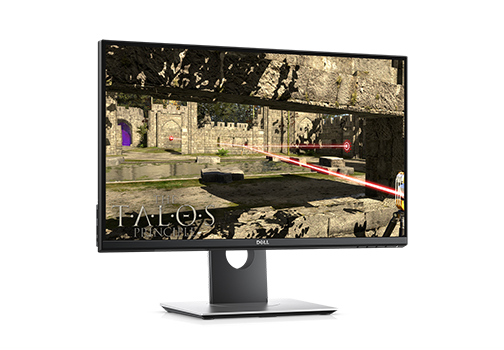
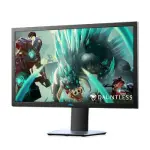
Dell 24 Gaming Monitor – S2417DG
Ask for more info
Description
Specification
General
Display Type
LED-backlit LCD monitor / TFT active matrix
Energy Class
Class B
Diagonal Size
23.8″
Viewable Size
23.8″
Adaptive-Sync Technology
NVIDIA G-SYNC
Built-in Devices
USB 3.0 hub
Panel Type
TN
Aspect Ratio
16:9
Native Resolution
QHD 2560 x 1440 at 165 Hz
Pixel Pitch
0.2058 mm
Pixel Per Inch
123
Brightness
350 cd/m²
Contrast Ratio
1000:1
Color Support
16.7 million colors
Response Time
1 ms (gray-to-gray)
Vertical Refresh Rate
30 – 160 Hz
Horizontal Refresh Rate
30 – 166 kHz
Horizontal Viewing Angle
170
Vertical Viewing Angle
160
Screen Coating
Anti-glare, 3H Hard Coating
Backlight Technology
LED backlight
OSD Languages
Chinese (simplified), Brazilian Portuguese, English, German, French, Russian, Spanish, Japanese
Features
72% (CIE 1931) color gamut, 82% (CIE 1976) color gamut, LED edgelight system, Flicker Free technology, Energy Gauge, NVIDIA Ultra Low Motion Blur Technology, Mercury free, backlight dimming control, arsenic-free glass, 3 gaming modes
Color
Black
Dimensions (WxDxH)
21.3 in x 7.1 in x 14.3 in – with stand
Weight
12.72 lbs
Warranty
3 Years
Connectivity
Interfaces
- DisplayPort
- HDMI
- 4 x USB 3.0 downstream (Type A)
- Audio line-out
- Headphones
- USB 3.0 upstream (Type B)
Mechanical
Display Position Adjustments
Height, pivot (rotation), swivel, tilt
Tilt Angle
-5/+21
Swivel Angle
90
Rotation Angle
180
Height Adjustment
5.1 in
Miscellaneous
Features
Security lock slot (cable lock sold separately)
Cables Included
- 1 x DisplayPort cable
- 1 x SuperSpeed USB cable
Compliant Standards
Not Available
Security Slot Type
Kensington security slot
Power
Voltage Required
AC 120/230 V (50/60 Hz)
Power Consumption Operational
33 Watt
Power Consumption Stand by
0.5 Watt
Power Consumption Sleep
0.5 Watt
Power Consumption (Off Mode)
0.3 Watt
Software / System Requirements
Included Software
Drivers & Utilities
Dimensions & Weight
Dimensions & Weight Details
- With stand – width: 21.3 in – depth: 7.1 in – height: 14.3 in – weight: 12.7 lbs
- Without stand – width: 21.3 in – depth: 2.2 in – height: 12.7 in – weight: 8.5 lbs
Shipping and Delivery


Related products
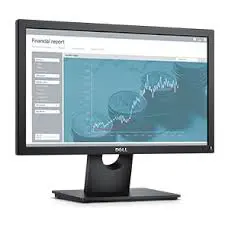
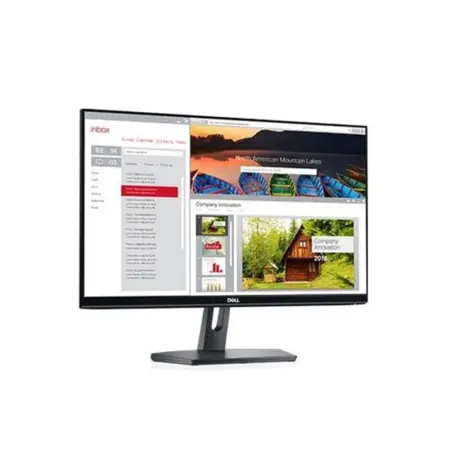
Dell 19 Monitor | E1916H
Screen performance: View your applications, spreadsheets and more on 18.5 inches of 1366x768 HD clarity, with 16.7 million colors, a color gamut of 85 percenti and a 90° / 65° horizontal / vertical viewing angle.
Plug and view: Compatible with both legacy and non-legacy PCs via VGA and DisplayPort connectivity.
Mounting option: Keep your desk clutter-free by mounting your VESA® compatible monitor on the wall or using the optional Dell Single Monitor Arm, detailed below.
Tilt at will: Work comfortably by tilting the monitor 5° forward or 21° backward.
Convenient controls: Easily access buttons for power, brightness, contrast and customizable preset modes on the monitor’s front panel.
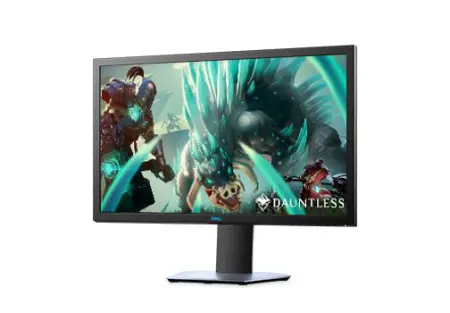

Dell Alienware 25′ Monitor Gsync BLK UK – DELL-NAW2518H-MON
Introducing all-new Alienware monitors, mice and keyboards featuring the iconic design you trust for exhilarating, immersive gaming. Whether you’re just starting your collection, or rounding out your arsenal, Alienware accessories are built to enhance your gaming experience as you journey deeper into the game.

Dell Alienware 34 Curved Gaming Monitor – AW3420DW
The full array: With new IPS Nano Color technology, you experience colors as they were designed to be by the content creators with 98% DCI-P3 color coverage, which is a professional color gamut that has greater range than sRGB.
In a flash: A true 2ms gray-to-gray response time with Overdrive and the 120Hz refresh rate enables fast, responsive gameplay with no artificial tricks needed. The 120Hz refresh rate keeps up with the action, allowing you to experience every moment of the world you’re gaming in.
Ready to roll: NVIDIA® G-SYNC™ technology displays full frames only when the monitor is ready to display them. This means your screen frames stay in sync with your NVIDIA® graphics card, so you can say goodbye to distortions—like tearing and artifacts—and get used to smooth, vibrant images.
See everything: Completely immerse yourself with a sweeping, 1900R curved display that takes you deeper into the game and a 21:9 aspect ratio that makes every vantage point epic. The curved screen maximizes your field of vision, reducing eye movement, so you can stay comfortably focused on the game longer.
Get real: A 3440 X 1440 WQHD resolution display delivers sharp, crystal-clear graphics with 4.9 million pixels—1.79 times more detail than a WFHD display. So you’ll see every blade of grass, every glint of steel, every drop of sweat more vividly, intensely and richly than ever before.
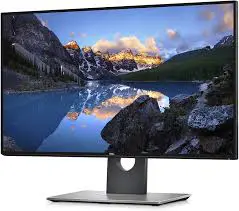
Dell UltraSharp 27 4K Monitor Black UK
Productivity without boundaries.
The world’s first 27" 4K monitor with Infinity Edge that supports HDR content playback. See stunning colours and exceptional details on a virtually borderless display.
|